Developer tooling for workflow JSON

Four tools for workflow JSON, built by one maintainer.

Lint, mock, test and render the JSON your workflows already are — from the terminal, a pre-commit hook, CI, or an agent over MCP. Offline by default. n8n is the first supported platform.

All four are on npm: npx workflow-lint, npx integration-mock, npx workflow-tester, npx workflow-render. Every card below links to its docs.

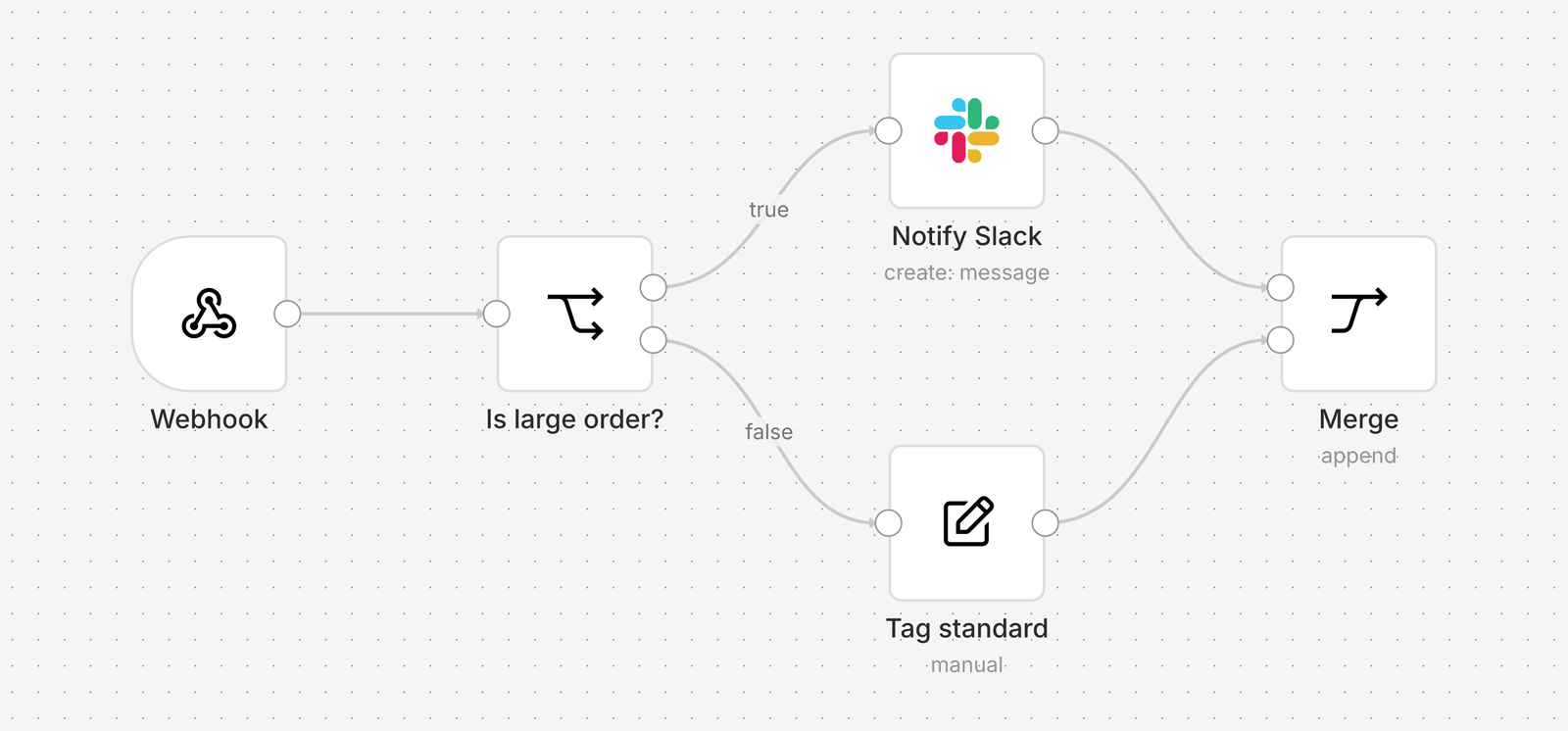
A workflow rendered by workflow-render: Webhook → Is large order? → Notify Slack or Tag standard → Merge. Two lint findings from workflow-lint are overlaid on the Webhook and Tag standard nodes. info reliability/webhook-input-contract warn structure/set-pass-through-include-other-fields
A workflow-render export with workflow-lint findings overlaid — the canvas is exported offline, the findings come from a static rule set.

Workflows are code that nobody reviews like code.

An n8n workflow is a JSON file: nodes, parameters, expressions, connections. It goes into git, it gets promoted from dev to production, and it breaks in exactly the ways code breaks — a default name nobody replaced, a placeholder URL that shipped, an expression that reads a field the trigger stopped sending. What it lacks is the tooling code takes for granted: a linter, a formatter, a way to run it against fakes, a test that fails before the customer does, and a picture of it you can put in a pull request.

Four tools. Each stands on its own.

Use one, use all four. None of them needs a running n8n instance for its core job, none of them phones home, and each is its own repository with its own README.

workflow-lint

Lint and format workflow JSON; pre-commit hook, GitHub Action, MCP server.
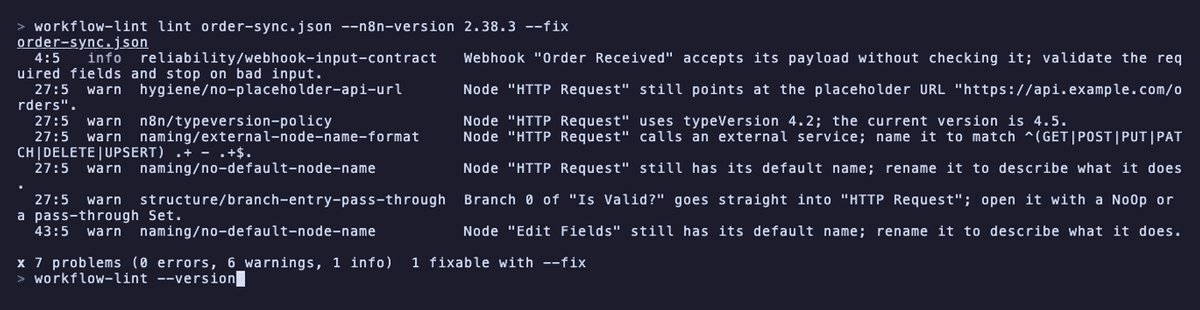
  • 31 rules in seven departments, calibrated against a corpus of reference workflows
  • Safe autofixes, a baseline for existing findings, fmt for canvas layout
  • Reporters: stylish, JSON, SARIF, JUnit, GitHub Actions
npx workflow-lint lint path/to/workflow.json

Needs Node 24 or newer. Source on GitHub.

Read the workflow-lint docs
integration-mock

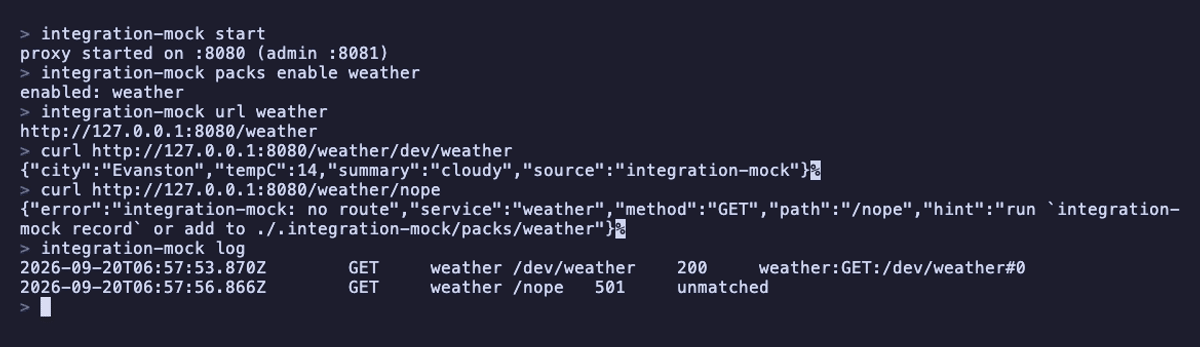
Mock the APIs a workflow's integrations call; snapshot real runs and replay them.

  • Run once for real, snapshot the execution, retry the edited workflow against it
  • Proxy mode or base-URL mode — the same pack answers byte-identically in both
  • 26 vendor packs generated from OpenAPI; write your own as two JSON files
npx integration-mock start

Needs Node 20 or newer. Source on GitHub.

Read the integration-mock docs

workflow-tester

Generate and run contract tests from the payloads a trigger can receive.

  • Evaluates expressions and Code nodes with n8n's own engine — no n8n process, no network
  • Stops at boundaries (HTTP, credentials) and says so, rather than pretending
  • capture turns a run you already made into a shape-only contract that is safe to commit
npx workflow-tester init
npx workflow-tester run

Needs Node 24 or newer. Source on GitHub.

Read the workflow-tester docs

workflow-render

Show your workflows on a portfolio or docs page as interactive canvases, not screenshots.

  • One <workflow-render> tag and the workflow's JSON file: no n8n instance, no login, no backend
  • Visitors pan, zoom and open any node to read its parameters, on a desktop or a phone
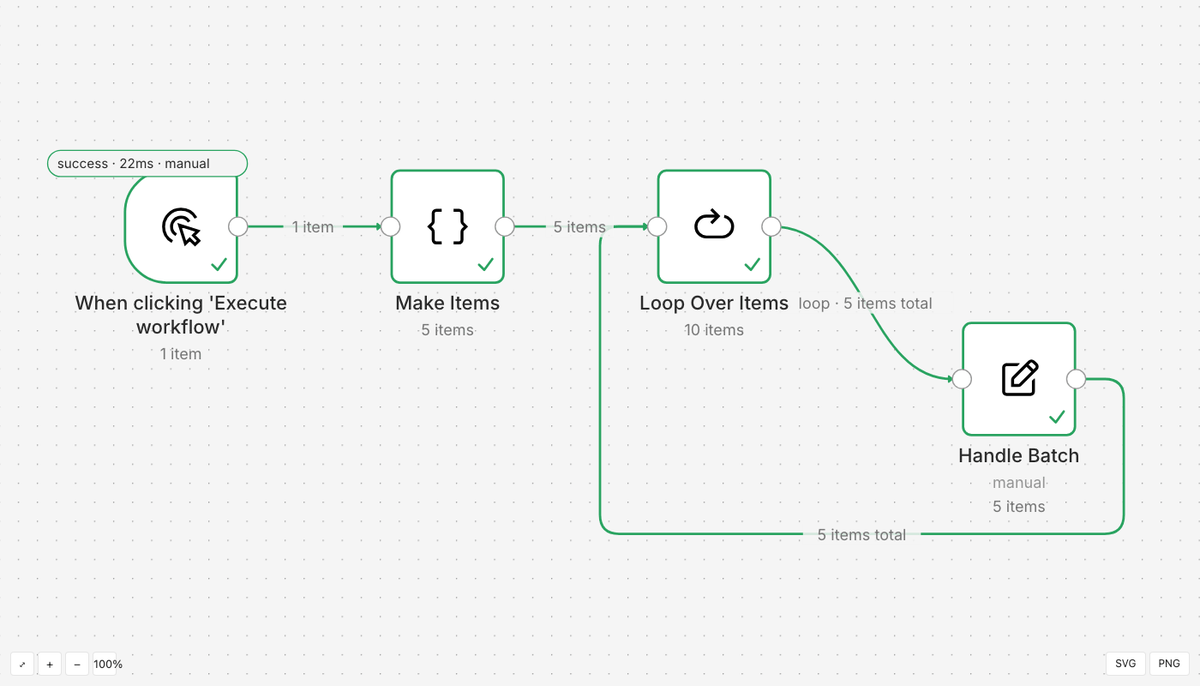
  • Also exports SVG and PNG, for a README or a PDF
<script type="module" src="https://cdn.jsdelivr.net/npm/workflow-render@0.1.0/dist/element/workflow-render.js"></script>
<workflow-render src="./workflow.json"></workflow-render>

Try it below. Source on GitHub.

Read the workflow-render docs

How they fit together

The workflow JSON is the only shared thing. Each tool reads it; three seams carry results between them.

How the four tools connect through workflow JSON Workflow JSON sits in the middle. workflow-lint on the left reads it and passes a findings overlay to workflow-render on the right. integration-mock and workflow-tester sit below: the workflow JSON becomes test YAML for workflow-tester; workflow-tester runs against integration-mock; a run against integration-mock yields execution JSON that workflow-render renders. workflow JSON nodes · connections workflow-lint lint · fmt workflow-render render · embed · export integration-mock mock · snapshot · replay workflow-tester generate · run findings overlay test YAML execution JSON runs against
Every arrow is a file on disk. workflow-tester writes *.contract.yaml beside the workflow; a run against integration-mock produces the same execution JSON n8n's API returns; workflow-lint's --format json is what workflow-render overlays.

Try the interactive canvas

This is a real workflow, drawn by workflow-render. Pan, zoom, and double-click a node to read its parameters. On a phone, drag, pinch and tap. Then paste one of your own: the JSON from n8n's Download menu.

This is workflow-render itself, running in your browser. Nothing leaves the page.

Your workflow will appear here.

Works with what you have

  • n8n 2.38node descriptions bundled; other versions on request
  • GitHub Actionsworkflow-lint action with SARIF and annotations
  • pre-commit / lefthooklint on commit; test on commit
  • Claude Code / Cursorworkflow-lint over MCP; the same rules, the same results

Status and maintenance

All four tools are complete for their planned scope and are used daily by the maintainer. Each is one package on npm and an MIT-licensed repository on GitHub; every release is installed from its tarball into an empty project and run by CI before it ships.

The four tools are maintained by one person alongside paid work. Bugs → Issues (use the template; include your n8n version and a minimal workflow JSON). Questions → Discussions. Expect a first response within 7 days; ping the thread if you hear nothing. Feature requests are welcome but not promised.

Each repository carries its own status, known issues and changelog in its README.